On-premises  •  No cloud  •  No telemetry

Self-Service Portal for Active Directory

Let users reset a forgotten password from a browser — verified by a one-time code over your own SMTP or Twilio — and the helpdesk stops being the bottleneck. The portal talks to your domain directly over LDAPS, writes the password back with a least-privilege service account, and logs every attempt. Nothing leaves your network.

Runs on your Windows Server / IIS | Standalone, or an add-on to AD Group Manager Web

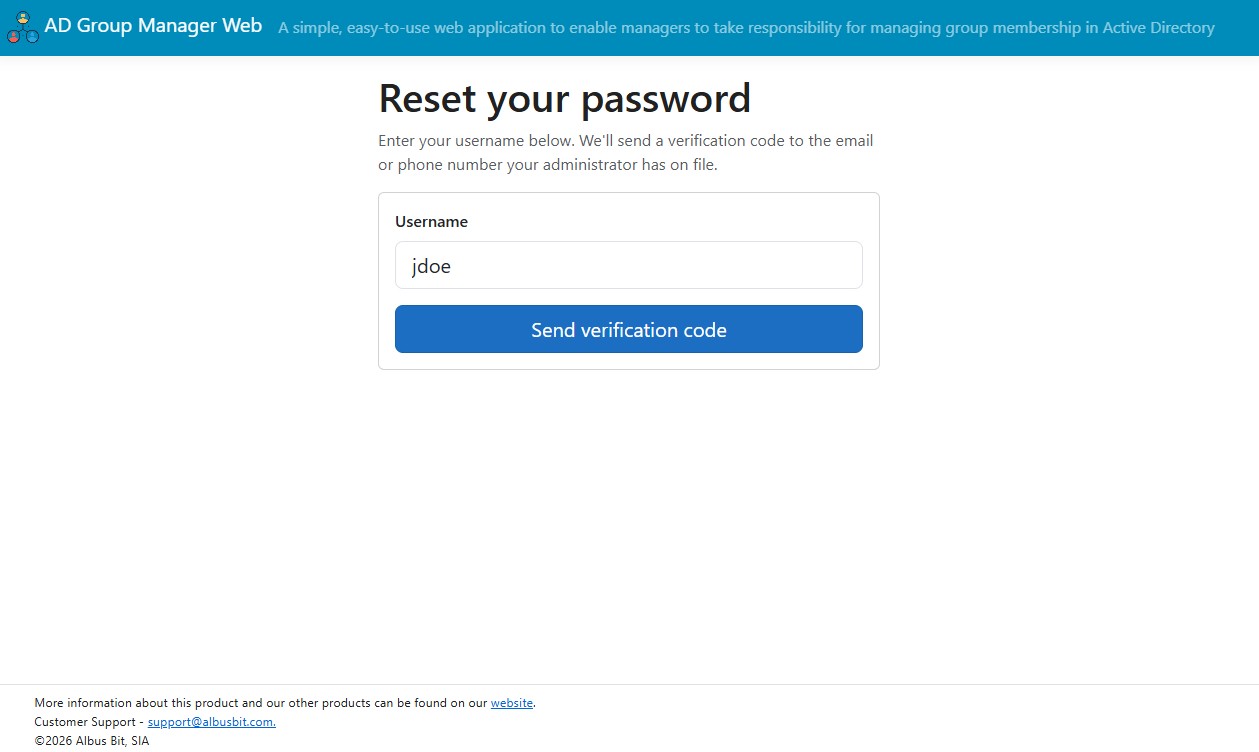
Self-Service Portal password reset start page

The most repetitive ticket in your queue

Forgotten passwords and lockouts are the highest-volume request most helpdesks handle, and they always arrive at the worst moment — a user who cannot get into Windows cannot get any work done until someone resets the account by hand. The reset itself is trivial; the cost is the interruption and the queue. Group delegation removed one routine task from IT. Password recovery is the obvious next one, and unlike group ownership it applies to every account in the directory.

What the portal does

Self-service password reset

Works before the user is logged in — the whole point. A "Forgot password?" link sends a one-time code to a configurable AD attribute (so you can target a personal or alternate address a locked-out user can still reach). They enter the code, set a new password that meets your domain policy, and log in immediately. The write goes straight back to Active Directory.

Change password while signed in

The everyday case, separate from locked-out recovery. An authenticated user changes their own AD password from the portal, subject to your complexity policy.

View profile & edit selected attributes

Users see their own directory profile — name, department, title, email. You decide whether they can edit anything, and exactly which attributes; the server enforces that allow-list. In HR-fed environments, leave editing off and keep it view-only plus reset.

My Groups

Users see the groups they belong to. Pairs naturally with AD Group Manager Web: people see their memberships in the portal, and the managers who own those groups manage them in Group Manager.

How the reset flow works

  1. User clicks Forgot password? and enters their username.
  2. The portal sends a one-time code to the AD attribute you designate — email via your SMTP server, SMS via your own Twilio account, or both.
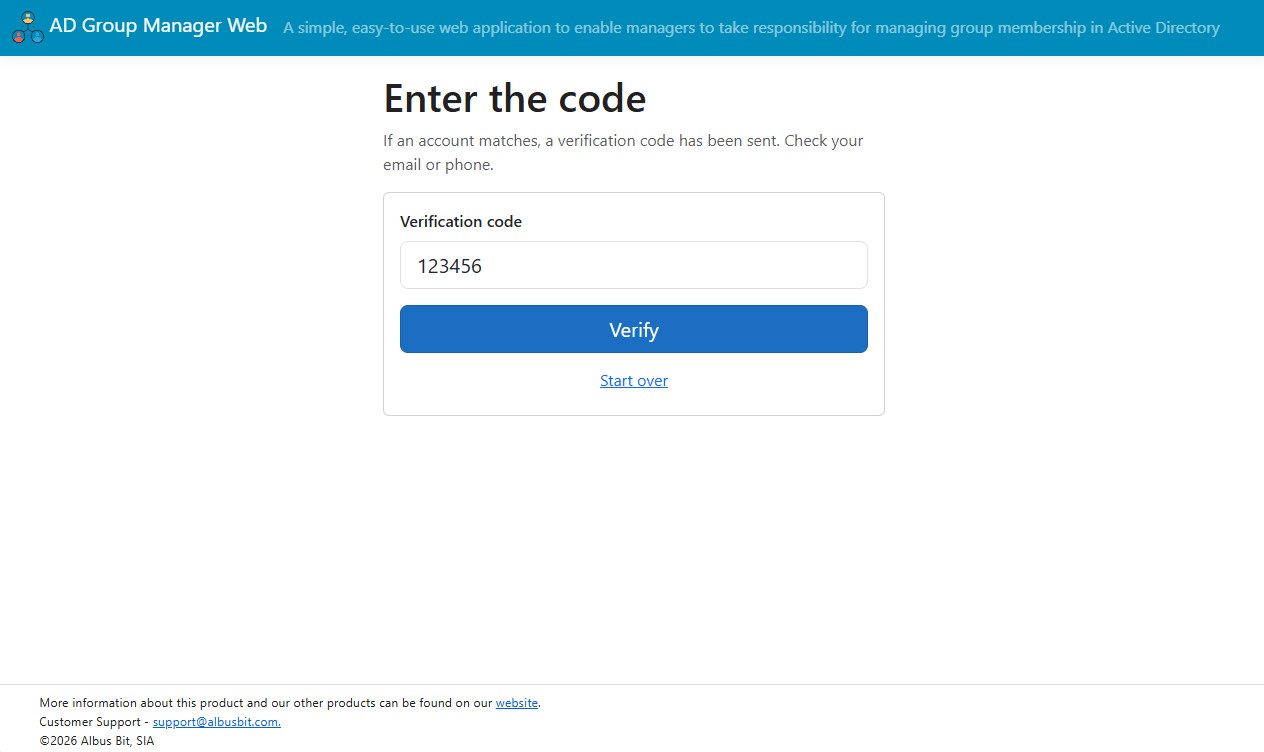
  3. User enters the code. Codes are stored hashed, expire after a configurable window, and the attempt locks after too many wrong tries.
  4. User sets a new password that satisfies your domain's complexity policy.
  5. The new password is written back to Active Directory by a dedicated service account — the user logs in straight away.
Verification code entry step

Built for a public, unauthenticated page

The reset page is reachable without login, so it is hardened by default. Every protection is on out of the box and tunable in settings.

Protection What it does
Account enumeration protection The page behaves identically whether the username exists, does not exist, or has no contact details on file — including a randomized response delay and an invisible honeypot field that traps bots. An attacker cannot use it to discover valid accounts.
Rate limiting Limits reset requests per source IP and per username within a time window. Once a limit is hit, the UI looks identical but no code is sent.
Hashed verification codes Codes are stored as a hash, never as readable digits, and expire after a configurable number of minutes.
Failed-attempt lockout After a configurable number of wrong codes, the attempt is locked even if the correct code is entered afterward.
Full audit logging Every attempt is recorded with username, action, timestamp, source IP, and outcome — including rate-limited and blocked attempts. Codes and passwords are never logged in plain text.

Least-privilege service account

The password write uses a dedicated account that needs only delegated "Reset password" rights on the OUs holding your users. Not Domain Admin, not domain-wide. Scope the delegation to one OU and the portal can only reset accounts in that OU.

LDAPS, with a signed fallback

The portal prefers an encrypted LDAPS connection to your domain controller. If no certificate is available it falls back to a signed and sealed connection, so directory traffic is protected either way.

Secrets encrypted at rest

The service account password and your Twilio auth token are encrypted in the portal's local database, not stored as plaintext, and are never rendered back into the page after saving.

Add-on or standalone

Two ways to run it. The choice does not change the feature set.

OptionWhen it fits
Add-on module You already run AD Group Manager Web and want self-service on the same install, sharing the same server and admin experience.
Standalone portal You want self-service on its own server — for example in a different network segment — with no dependency on the group management module.
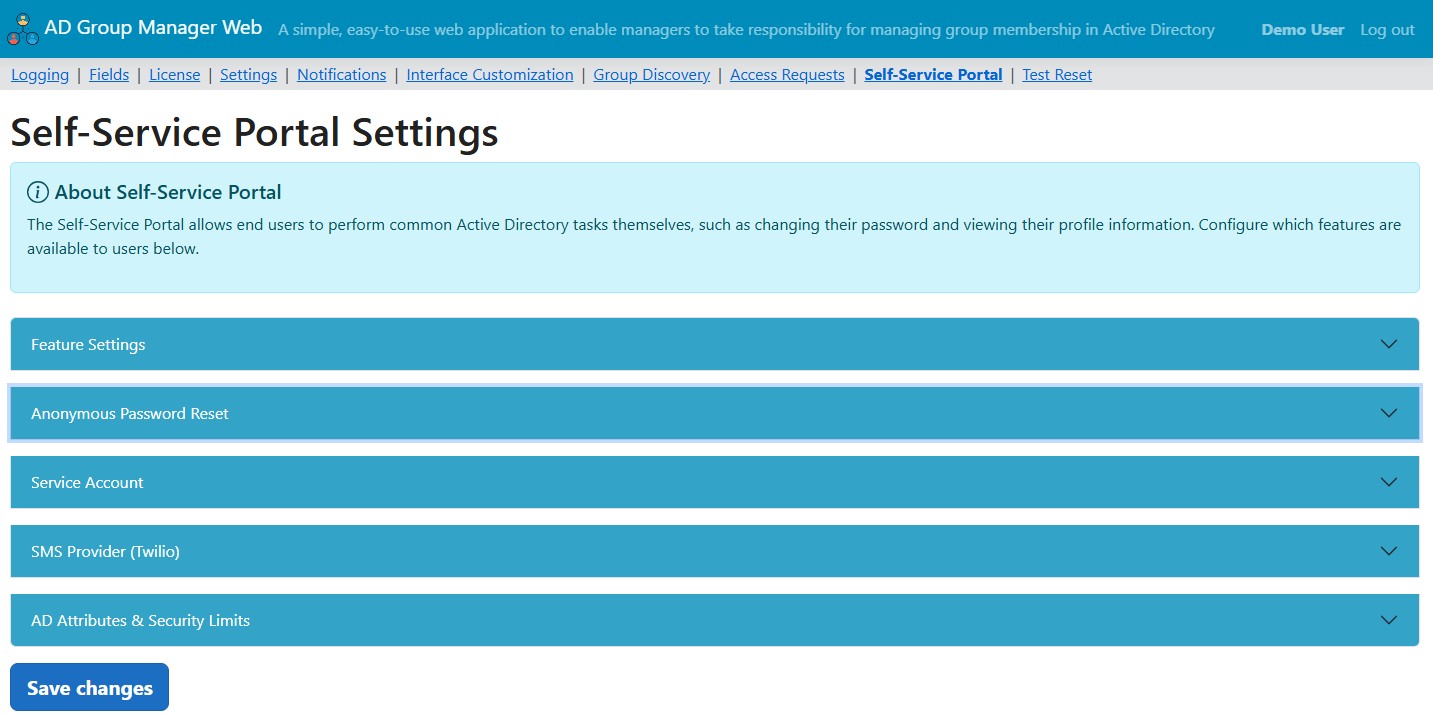
Self-Service Portal admin settings page

Simple annual pricing

Single-server install, unlimited users and groups, all updates and email support for 12 months.

Standalone

Self-Service Portal on its own server

$595/year

Unlimited users. No group management module required.

Buy Standalone
Best value — save $300

Bundle

AD Group Manager Web + Self-Service Portal

$1,590/year

Both products on one install, one renewal date. $1,890 bought separately.

Buy Bundle

Add-on

Already run AD Group Manager Web?

$295/year

Activates SSP inside your existing install, aligned to your current renewal.

Add to License

Secure payment via 2Checkout  •  Instant license delivery  •  VAT removed for valid EU VAT numbers at checkout

Try it against your own directory

Full functionality, 30 days, no credit card. Install the hosting bundle, run setup, point it at a test OU, and run the built-in diagnostic page against a test user before you announce it.

Request Trial License

Read the full technical walkthrough →

FAQ

Does it use the cloud?

No. It is an on-premises application that connects directly to Active Directory over LDAPS, with a signed and sealed fallback. There is no telemetry. Email verification goes through your own SMTP server. SMS is optional and uses your own Twilio account — the only case where a code leaves your network, and only if you enable it.

Is it an add-on to AD Group Manager Web or a separate product?

Both. It runs as an add-on module inside an existing AD Group Manager Web install, or as a standalone portal on a separate server with no group management module.

What rights does the service account need?

Only delegated "Reset password" rights on the OUs that hold your users. It does not need Domain Admin or domain-wide rights. Configure the domain as a fully qualified, DNS-resolvable name rather than the short NetBIOS name.

What happens to a user with no email or phone on file?

They are handled gracefully: the portal does not reveal the missing detail, it simply cannot deliver a code — which is the correct security behavior.

What are the requirements?

Windows Server with IIS and the ASP.NET Core Hosting Bundle, network reachability to a domain controller, and a service account with delegated reset rights. SMTP for email codes; a Twilio account only if you want SMS.
Use of this site constitutes acceptance of our Privacy Policy and EULA. Copyright © Albus Bit SIA