Online Manual
Self-Service Portal Overview
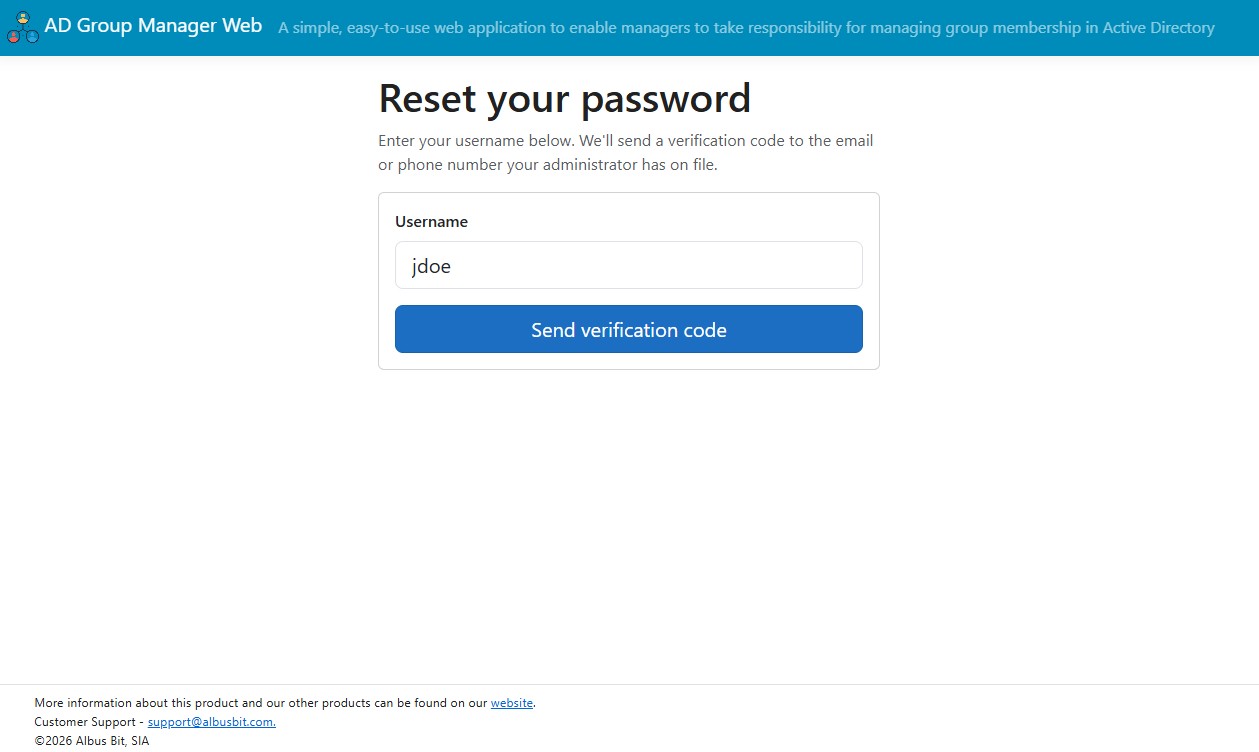
The Self-Service Portal is a companion to AD Group Manager Web. Where Group Manager Web hands group membership to the people who own the groups, the Self-Service Portal hands the most repetitive helpdesk task — the forgotten password — back to the user. Users reset their own Active Directory password from a browser, verify themselves with a one-time code sent by email or SMS, and log straight back in without opening a ticket.
It runs entirely on-premises, talks to your domain directly, logs every action, and gives you full control over what is enabled.
What the portal does
The portal has two halves: features for users who cannot sign in (locked out, forgotten password) and features for users who are signed in.
| Feature | Who it is for | What it does |
|---|---|---|
| Self-service password reset | A user who is locked out or has forgotten their password | A “Forgot password?” link sends a one-time code to a configurable AD attribute (so you can target a personal or alternate address a locked-out user can still reach). The user enters the code, sets a new password that meets your domain policy, and logs in immediately. |
| Change password | A signed-in user | Change the current AD password from within the portal, subject to your domain’s complexity policy. This is the everyday case, separate from locked-out recovery. |
| View profile | A signed-in user | See your own AD profile — name, department, title, email, and any other attributes the administrator exposes. |
| Edit selected attributes (optional) | A signed-in user | Edit only the attributes the administrator has explicitly allowed. The server enforces the allow-list; nothing outside it can be changed. |
| My Groups | A signed-in user | See the groups you belong to. Pairs naturally with AD Group Manager Web — users see their memberships in the portal, and managers who own those groups manage them in Group Manager Web. |
Each feature is toggled independently in the admin settings, so you can run the portal as little as “view-only profile plus password reset” or open up everything.
Two ways to deploy
The feature set is identical either way — the only difference is where it runs.
| Option | When it fits |
|---|---|
| Add-on module | You already run AD Group Manager Web and want self-service on the same install, sharing the same server, admin panel, and database. The Self-Service entry simply appears once the module is licensed. |
| Standalone portal | You want self-service on a separate server — for example on its own host in a different network segment — with no dependency on the group management module. The portal runs on its own without the Group Manager module licensed. |
Both deployments are gated by your license. See Licensing and Deployment for how the module is activated and what changes when it is.
On-premises by design
The portal follows the same architecture as AD Group Manager Web:
- No telemetry. Nothing about your directory or your users leaves your network.
- Direct to your domain. It connects to your domain controller over an encrypted LDAPS connection, falling back to a signed and sealed connection if no certificate is available, so directory traffic is protected either way.
- Your own SMTP server sends verification and notification email.
- Your own Twilio account sends SMS, if you choose to enable it. This is the only case where a code leaves your network, and only when you turn it on.
- Local SQLite database (
adgm.db) holds settings and the audit log. Secrets such as the service account password and Twilio auth token are encrypted at rest with ASP.NET Core Data Protection.
How it fits with AD Group Manager Web
If you already run Group Manager Web, the portal will feel familiar: it installs the same way, is administered from the same admin panel, and shares the same on-premises engine. Group delegation removed one routine task from your IT team; password recovery is the obvious next one, and unlike group ownership it applies to every account in the directory.
Next steps
- Licensing and Deployment — activate the module and understand add-on vs standalone.
- Configuring Password Reset — the full admin setup walkthrough.
- Security and Audit Logging — how the public reset page is hardened.
- Self-Service for Signed-In Users — the end-user dashboard.
- Password Reset: End-User Guide — what a locked-out user sees.